> ## Documentation Index
> Fetch the complete documentation index at: https://botpress.com/docs/llms.txt
> Use this file to discover all available pages before exploring further.
# Agent steps
> See what your agent did during each conversation turn in real time.
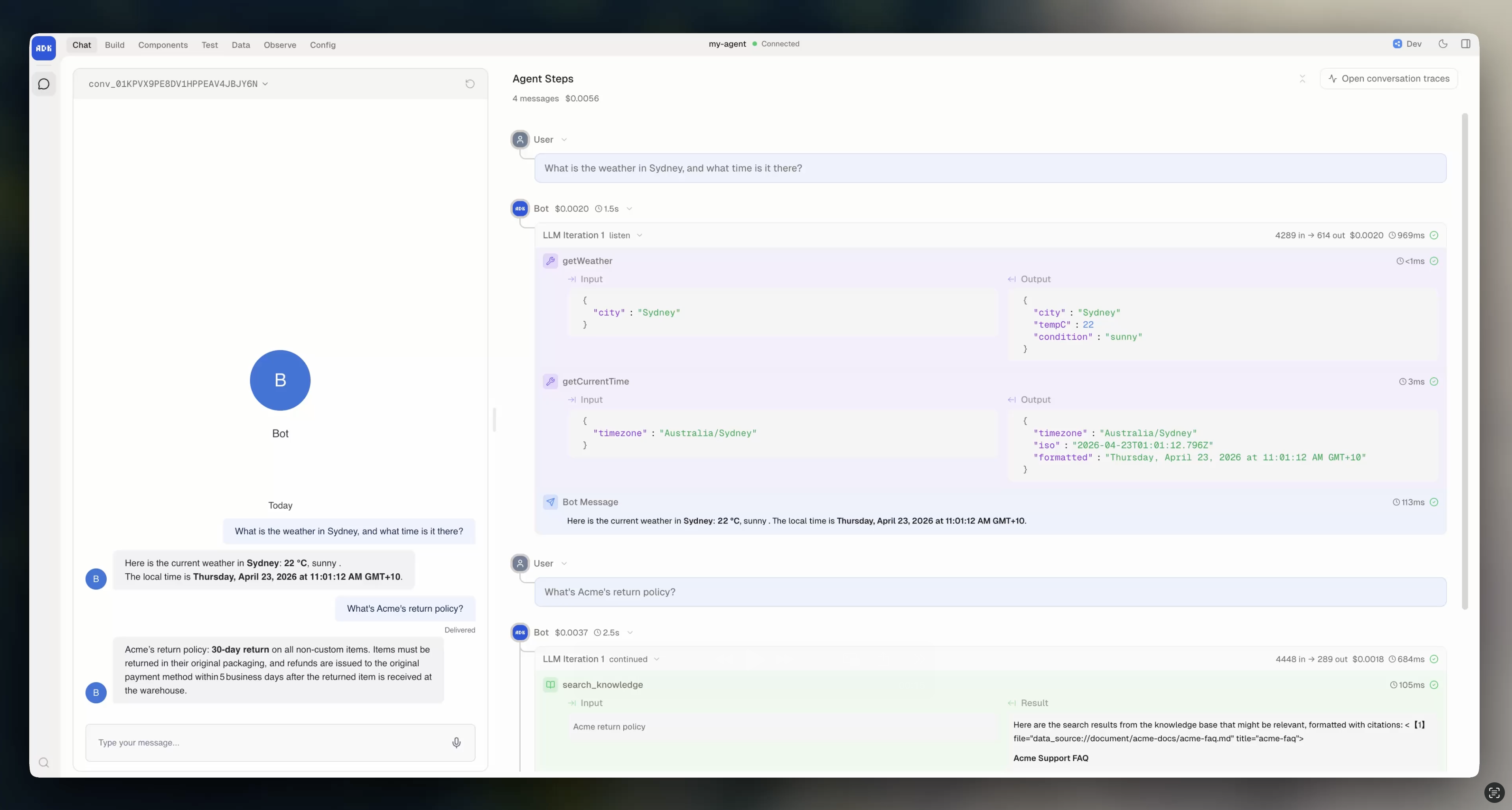
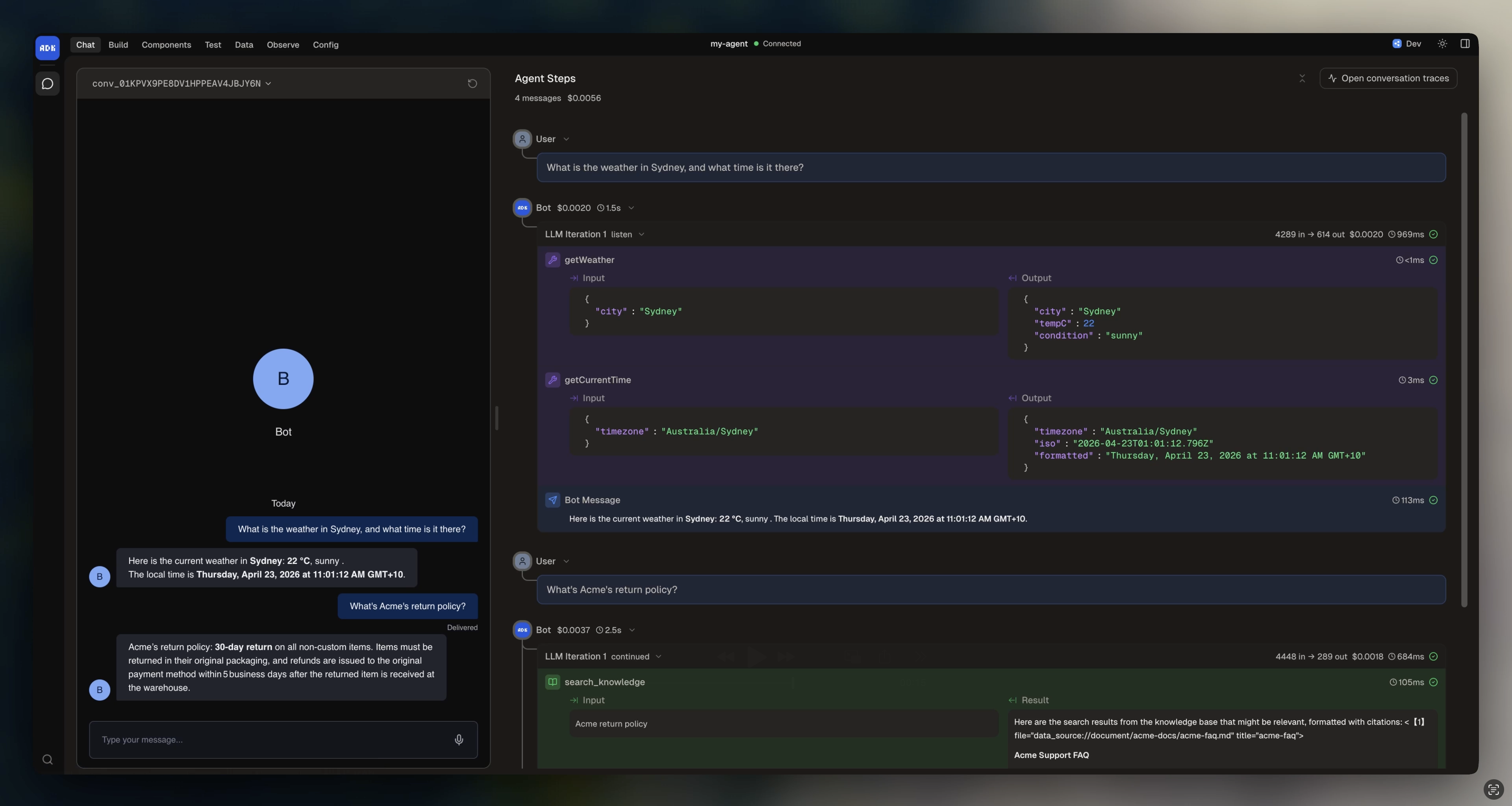
Agent Steps is a panel in the dev console **Chat** view that shows you exactly what happened during each conversation turn. While you chat with your agent on the left, the right panel shows a live breakdown of every action the agent took to produce its response.
 ## What it shows
For each turn, Agent Steps displays:
* **User message** that triggered the turn
* **Tool calls** with input and output for each tool the model called
* **Knowledge searches** showing which queries ran and what passages matched
* **LLM reasoning** including the code the model generated
* **Messages sent** back to the user
* **Errors** if anything failed during execution
* **Duration** for each step and the total turn
Each item is expandable. Click on a tool call to see its full input and output. Click on a knowledge search to see the matched passages and their scores.
## When to use it
Agent Steps is the fastest way to debug during development. Use it when:
* The agent gives a wrong answer and you want to see which tool it called (or didn't call)
* You want to verify the agent is using your knowledge base correctly
* A tool call fails and you need to see the error
* You want to understand the model's reasoning path
* You're tuning instructions and want to see how changes affect behavior
## Traces link
Each turn in Agent Steps links to its full trace in the **Traces** view. Click the trace link to see the complete span timeline with detailed telemetry. See [Debug with logs and traces](/adk/testing/debugging) for more on the Traces view.
## What it shows
For each turn, Agent Steps displays:
* **User message** that triggered the turn
* **Tool calls** with input and output for each tool the model called
* **Knowledge searches** showing which queries ran and what passages matched
* **LLM reasoning** including the code the model generated
* **Messages sent** back to the user
* **Errors** if anything failed during execution
* **Duration** for each step and the total turn
Each item is expandable. Click on a tool call to see its full input and output. Click on a knowledge search to see the matched passages and their scores.
## When to use it
Agent Steps is the fastest way to debug during development. Use it when:
* The agent gives a wrong answer and you want to see which tool it called (or didn't call)
* You want to verify the agent is using your knowledge base correctly
* A tool call fails and you need to see the error
* You want to understand the model's reasoning path
* You're tuning instructions and want to see how changes affect behavior
## Traces link
Each turn in Agent Steps links to its full trace in the **Traces** view. Click the trace link to see the complete span timeline with detailed telemetry. See [Debug with logs and traces](/adk/testing/debugging) for more on the Traces view.