

z from @botpress/runtime, and the ADK syncs it with Botpress on deploy. Tables are accessible from conversations, workflows, actions, tools, and triggers.
Creating a table
Create a file insrc/tables/:
description field is optional but useful when the table gets surfaced to the LLM (via Zai or knowledge). keyColumn is optional too; it sets the default key used when calling .upsertRows() so you don’t have to pass it on every call.
Naming rules
Table names:- Must start with a letter, underscore, or
$ - Must be 35 characters or less
- Must contain only letters, numbers, and underscores
- Must end with
Table - Cannot be a UUID
Searchable columns
You can mark columns as searchable to enable semantic search:Computed columns
A computed column is derived from other columns. Setcomputed: true, pass the columns it depends on into dependencies, and return its value from value:
waitComputed: true to block any further modifications to the table until the recalculation finishes:
Managing table data
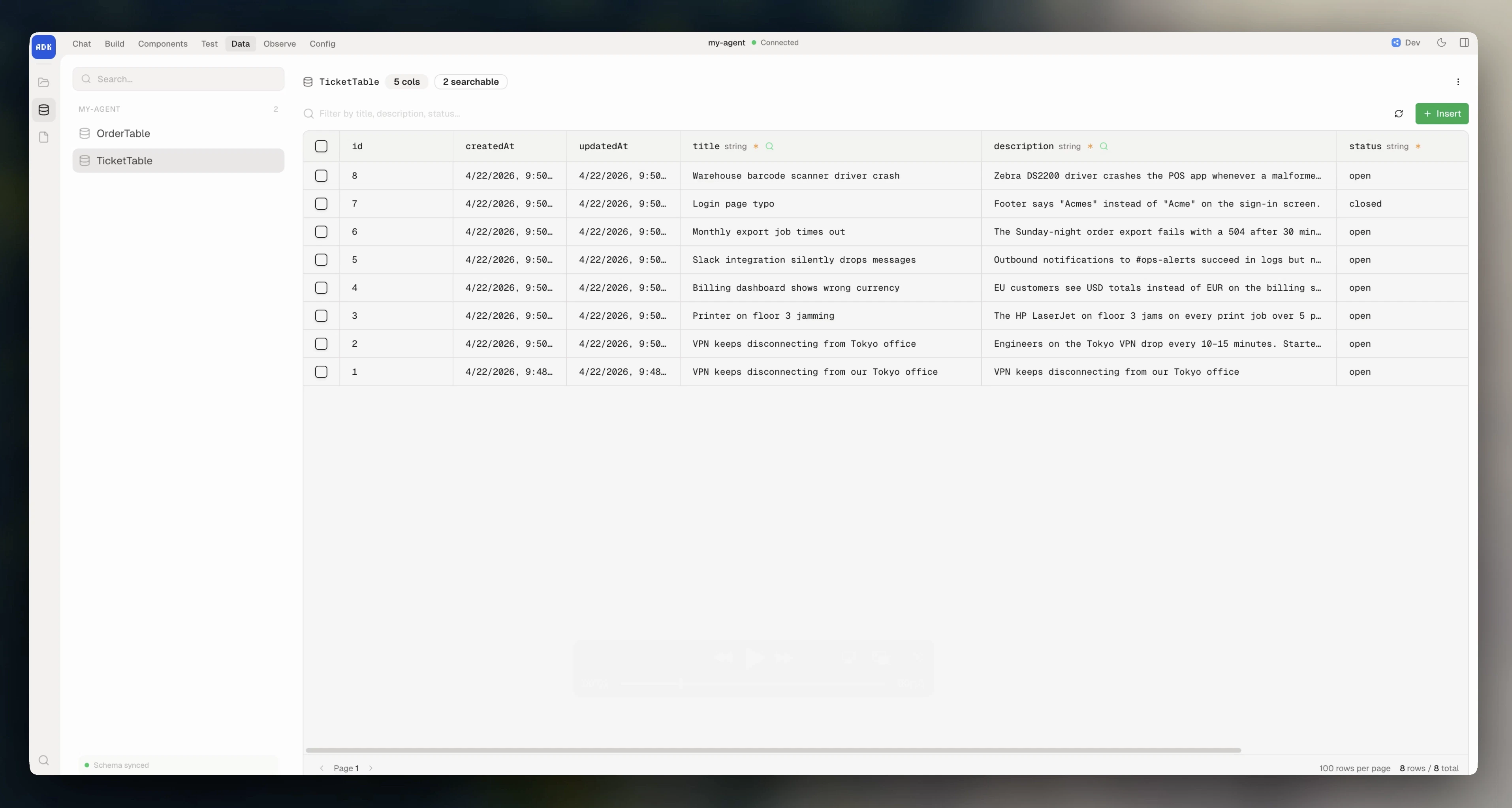
You can manage your table data in the dev console under Data > Tables. Here, you can:- View the sync state between your code and Botpress’ servers
- Add/update/delete rows
- Filter and sort
- Export to CSV
- Copy data between development and production environments
CRUD operations
To perform operations on your table within your agent’s code, import the table and use the typed instance methods.Create rows
Find rows
Get a single row
Update rows
Upsert rows
Insert or update based on a key column:keyColumn on the table, you can omit it here.
If
keyColumn is omitted on both the table defintion and the upsertRows call, it defaults to id.Delete rows
Filtering
When callingfindRows(), you can pass in filters for specific rows. These can use MongoDB-style operators for advanced queries:
Operators
Logical operators
You can combine filters with$and, $or, and $not:
Semantic search
You can search acrosssearchable columns using natural language:
Aggregation
Aggregation groups rows by one or more columns and computes summary statistics for other columns. This transforms your table data into summary reports. Pass agroup object to findRows() where each key is a column name and the value is either a single operation or an array of operations:
camelCase) with the operation: